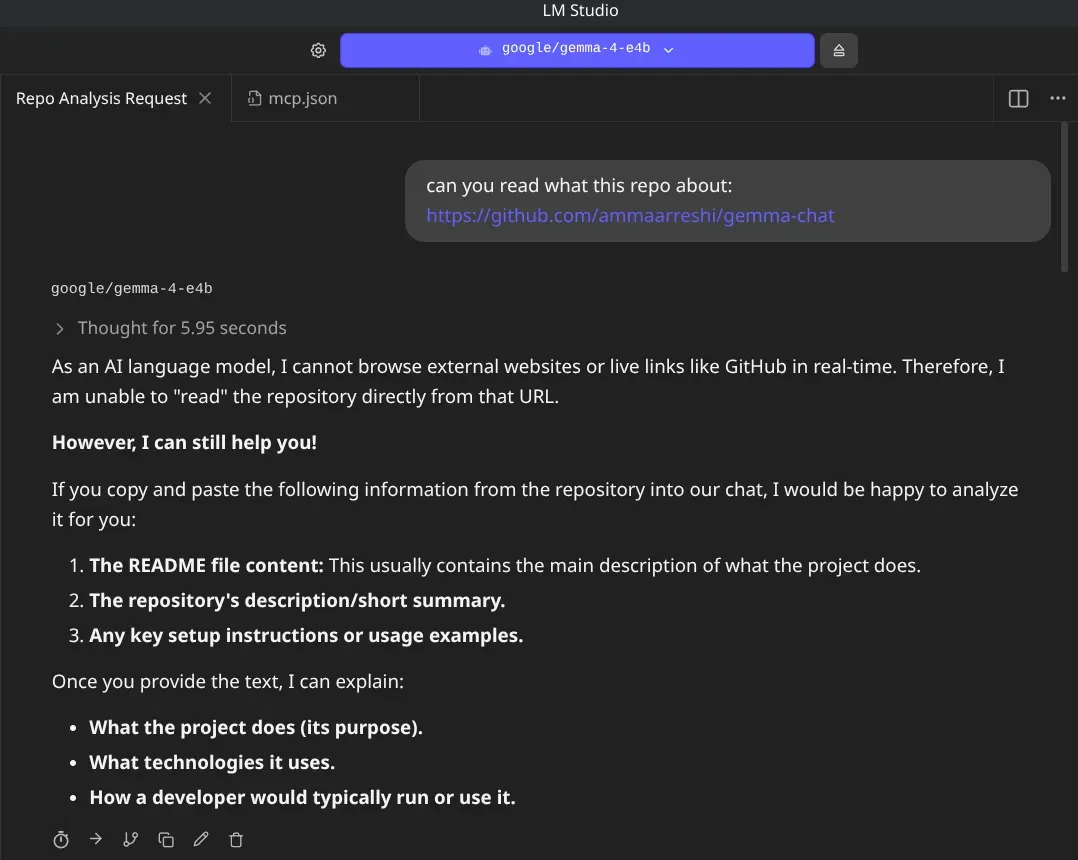
Running local LLMs like Gemma 4 4B provides unparalleled privacy and speed, but they often feel like they’re living in a digital bunker—fast, but isolated from the current world. While tools like LM Studio now support the Model Context Protocol (MCP) to fix this, Arch-based users (especially on performance-tuned distros like CachyOS) often hit a brick wall: the “Playwright Dependency Trap.”
If you’ve tried to enable web search only to be met with apt-get: command not found or missing .so libraries, this guide is for you.
The Problem: The “Ubuntu-Centric” Playwright 🔗
Most web-scraping MCP servers rely on Playwright. By default, Playwright tries to download its own bundled versions of Chromium, Firefox, and WebKit. These binaries are usually built for Ubuntu, leading to constant library mismatches on a rolling-release system like CachyOS.
The Solution: The System-Native Bridge 🔗
Instead of fighting the bundled binaries, the secret is to force the MCP server to use your system’s native, optimized Chromium build.
Step 1: Install the Native Dependencies 🔗
First, ensure your system has the libraries that Playwright requires but doesn’t know how to find on Arch. Open your terminal (Fish users, you know the drill) and run:
sudo pacman -S --needed chromium alsa-lib libgbm flite python-playwrightInstalling python-playwright is a “cheat code” here—it ensures all underlying system dependencies are resolved even if we use the Node version of the MCP.
Step 2: Configure the MCP Server 🔗
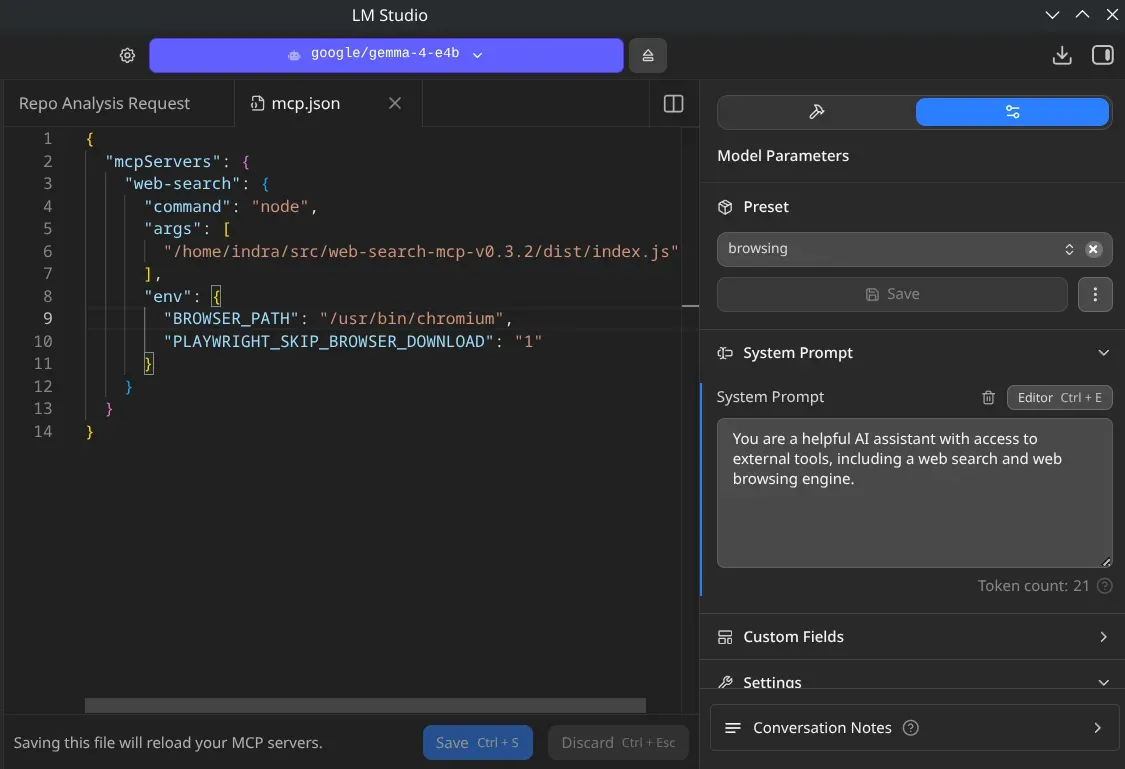
In LM Studio, navigate to Settings > MCP and edit your mcp.json. We are going to point the server to your system’s Chromium path and tell Playwright to stop trying to download its own browsers.
Here is the “Golden Config” for CachyOS:
{
  "mcpServers": {
    "web-search": {
      "command": "node",
      "args": [
        "/path/to/your/web-search-mcp/dist/index.js"
      ],
      "env": {
        "BROWSER_PATH": "/usr/bin/chromium",
        "PLAYWRIGHT_SKIP_BROWSER_DOWNLOAD": "1"
      }
    }
  }
}
Pro Tip: If you are using the Fish shell and ever run the server manually for debugging, ensure your environment variables are correctly exported by adding these to your config or running:
set -gx PLAYWRIGHT_SKIP_BROWSER_DOWNLOAD 1
set -gx CHROME_PATH /usr/bin/chromium
Why This Matters 🔗
By using this setup, you aren’t just getting internet access; you’re getting it efficiently.
- Performance: Using the CachyOS-optimized Chromium means less overhead for your CPU.
- Context Management: Small, punchy models like Gemma 4 4B handle the structured data from a dedicated search MCP much better than a raw scrape of a website’s HTML.
- Privacy: You maintain control over which tools your model can “call” and how it accesses the outside world.
The Result 🔗
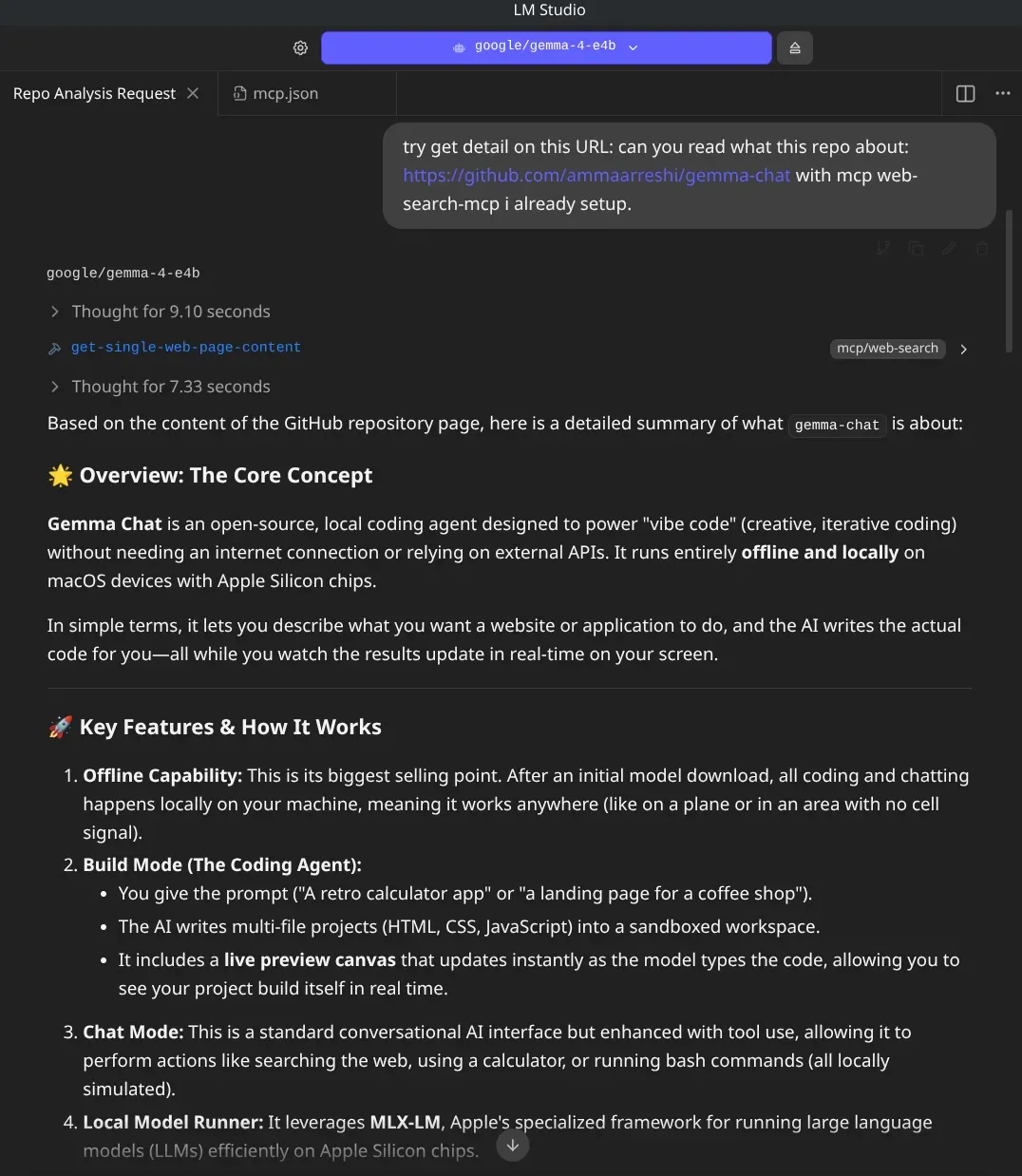
Once configured, your local model can finally answer questions about today’s news, fetch documentation for a new Flutter library, or summarize a long-form article—all while staying 100% local in its reasoning.
Happy hacking, and enjoy your “connected” local AI!